
/
Article 360
Editorial workflow · 15 of 39
What this guide covers
End-to-end article review workspace.
How to use it
Follow the page in order, verify the named screen or setting in PressAI, then use the related and next-guide links to continue the workflow.
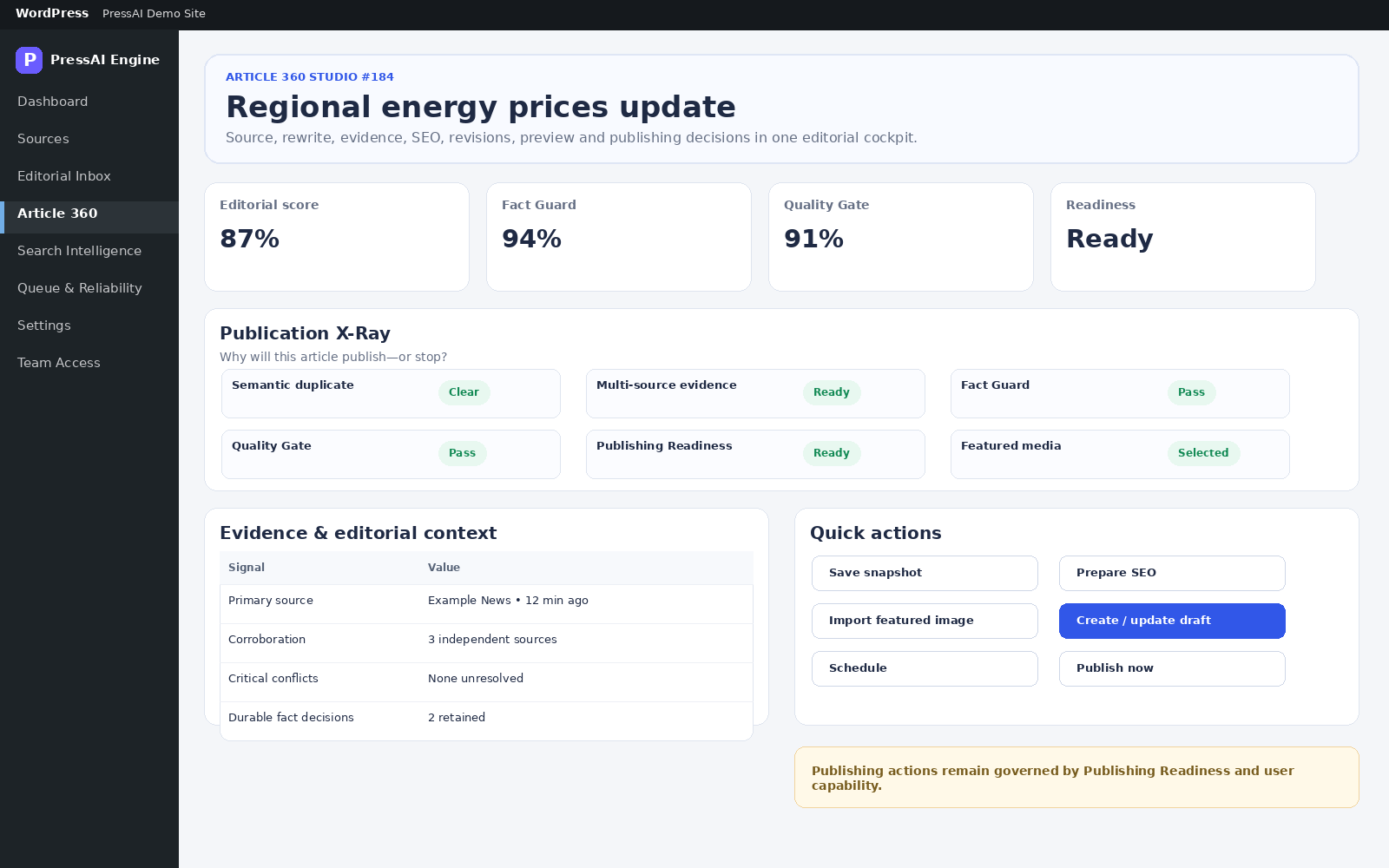
Path: Articles → article, or Editorial Inbox → Open article workspace.
Review order
- Review current workflow stage and recommended action.
- Verify extraction/source context.
- Review semantic duplicate and story intelligence.
- Review multi-source evidence and conflicts.
- Run/select Editorial Profile for AI processing.
- Review Fact Guard and Quality Gate status/evidence.
- Check Publishing Readiness.
- Prepare SEO/media as needed.
- Create/update draft, schedule or publish only when safeguards allow it.
Publishing actions
| Field / action | Meaning |
|---|---|
| Check readiness | Re-evaluate publishing readiness. |
| Prepare SEO | Prepare title/description compatibility metadata. |
| Import featured image | Import an eligible image. |
| Create / update draft | Create or update the WordPress draft. |
| Schedule | Schedule after required checks. |
| Publish now | Publish immediately only when allowed. |
Review an article before publishing
- Open Article 360 from Articles, Command Center or Editorial Inbox.
- Read the workflow stage and recommended next action.
- Review source context and multi-source evidence.
- Check the Publication X-Ray for duplicate, evidence, Fact Guard, Quality Gate, readiness and media states.
- Review search and SEO guidance when applicable.
- Use draft, schedule or publish actions only when Publishing Readiness allows them.